The Portal Roblox The Portal System Requirements
Official-style minimums for mobile and PC, plus practical lag fixes while Xbox and PS5 remain undated.
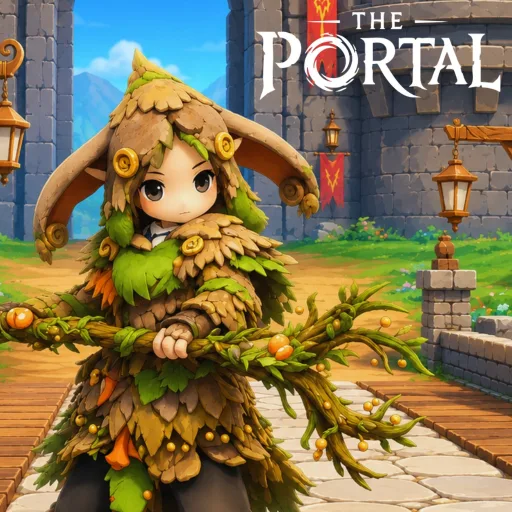
The Portal is a 3D Roblox MMORPG with exploration, combat, fishing, and glider travel. Devices below the published minimums will stutter during fights, water edges, and crowded hubs. This page collects the minimum specs listed on the Roblox experience page, practical settings to reduce lag, and what we know about future Xbox and PS5 support.
Always confirm Place ID 122003435349029 on the official game link before troubleshooting—copy experiences can feel “broken” for unrelated reasons.
Minimum requirements
| Platform | Minimum |
|---|---|
| Mobile | 8GB RAM and a Snapdragon or Adreno GPU class device |
| PC | Quad-core CPU, 8GB RAM, GTX 1050 or Intel Iris Xe or better |
These are hard floors from the public listing. Below them, expect rubber-banding, delayed interact prompts on berry and fish nodes, and clipped Settings menus on smaller phones.
Why specs matter in a slow MMORPG
The Portal does not need esports frame rates, but skill timing, fishing prompts, and glider landings all depend on stable input. Low FPS feels like “bad stats” when it is actually hitching. Before spending Stats reset scrolls or Race Reroll Mirrors, rule out performance.
PC optimization checklist
- Close browser tabs and Discord overlays if they spike GPU usage.
- In Roblox settings, lower graphics quality until combat feels consistent.
- Prefer wired or strong Wi-Fi; MMORPG servers punish packet loss more than raw download speed.
- Update GPU drivers for GTX 1050-class cards still in use.
- After game patches, join a new server—old instances cause code and interact bugs that look like hardware faults.
- Cap background recordings; OBS can drop a borderline Iris Xe laptop under the playable line.
Mobile optimization checklist
- Confirm 8GB RAM devices; 4–6GB phones will struggle regardless of settings.
- Enable performance / low graphics modes in Roblox.
- Play in landscape when using Settings → Account for codes so the Claim button is visible (How to redeem codes).
- Keep storage free; OS memory killers pause Roblox mid-fish.
- Avoid overheating outdoors—thermal throttling freezes interact prompts at water edges.
Features that stress devices
| Feature | Stress | Tip |
|---|---|---|
| Hub cities | Crowd density | Lower shadows / players shown |
| Wooden Glider | Camera + physics | Practice on flat ground first (Glider guide) |
| Fishing nodes | Prompt timing | Stand still; wait for the interact UI |
| Party combat | Skill VFX | Reduce particles if skills feel delayed |
Console plans: Xbox and PS5
Xbox and PS5 versions are planned. No release date is confirmed. Until Roblox or The Box of Trolls announces a date, play on PC or mobile clients sharing the same Place ID. Expect the same tutorial-gated codes flow and the same progression systems when consoles arrive—see Release v1 and Links hub.
Network and server tips
- Peak hours add latency; schedule hard fights off-peak if skills desync.
- If codes fail after a patch, switch servers before assuming expiry (Codes Hub).
- Favorite the game for +5% XP and join the Box of Trolls Studio group—these are account bonuses, not FPS fixes, but they reduce time spent in laggy grind loops.
When lag is not your PC
If friends on stronger machines also rubber-band, the server or region is the bottleneck. Relog, try another server, and check official Discord / group posts for outages. Do not install unauthorized “FPS unlocker” clients from random sites—account risk is covered on the Scripts hub.
Accessibility and UI scaling
Early v1 builds may clip mobile Settings panels. Rotate to landscape, lower UI scale if available, and finish the tutorial fully so Account redeem unlocks. Wheat till/water/harvest quests need reliable taps—lag makes those soft locks worse (Getting started).
Related pages
- Links hub — official Roblox URL
- Getting started
- Release v1
- How to redeem codes
- Fishing and gathering
- Updates hub
Frequently Asked Questions
Quick answers for The Portal players.
What are The Portal mobile requirements?
At least 8GB of RAM and a Snapdragon or Adreno class GPU. Phones below that will lag in hubs and combat.
What are The Portal PC requirements?
A quad-core CPU, 8GB RAM, and a GTX 1050 or Intel Iris Xe or better, matching the public Roblox listing.
Is The Portal on Xbox or PS5 yet?
Not yet. Xbox and PS5 support is planned with no confirmed release date. Play on Roblox PC or mobile for now.
Codes fail—is that a hardware issue?
Usually not. Finish the tutorial, join a new server after patches, and check capitalization. See the How to redeem codes guide.